Promotions & discounts
Promotions are discounts that apply at checkout to bring customers in and move stock. You'll find them under Promotions.
Owners, Admins & Managers can manage promotions.
Create a promotion
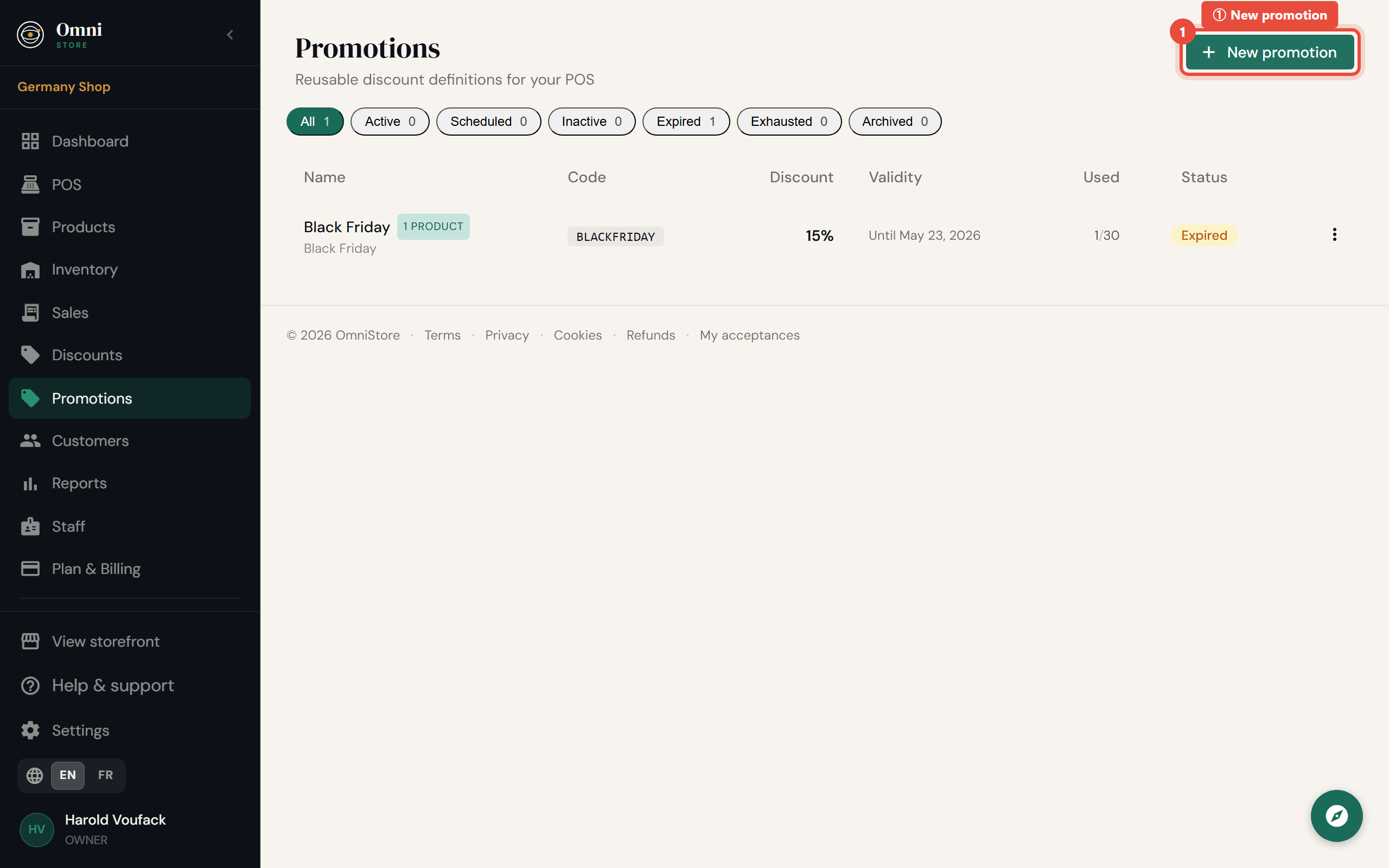
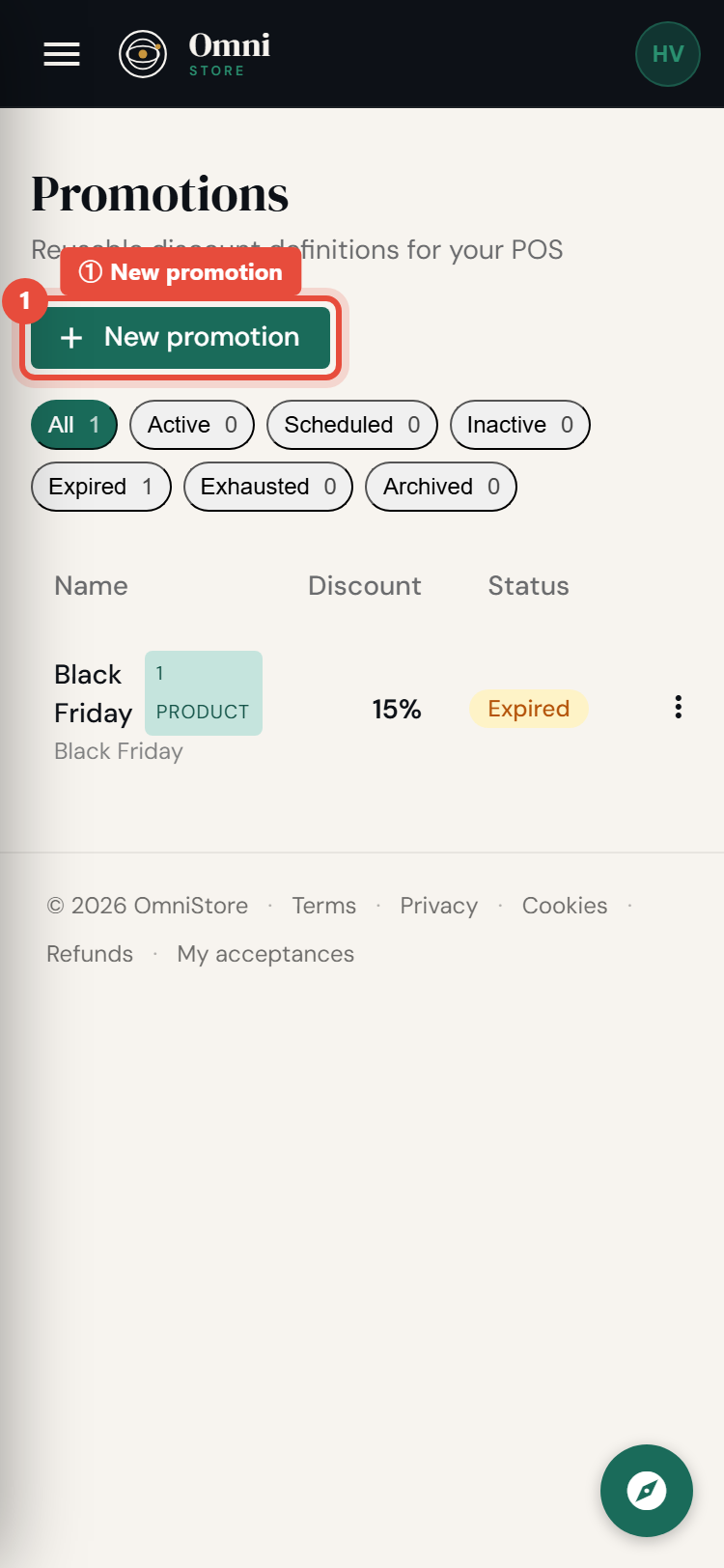
- Go to Promotions and select Create promotion (or New promotion).
Mobile view
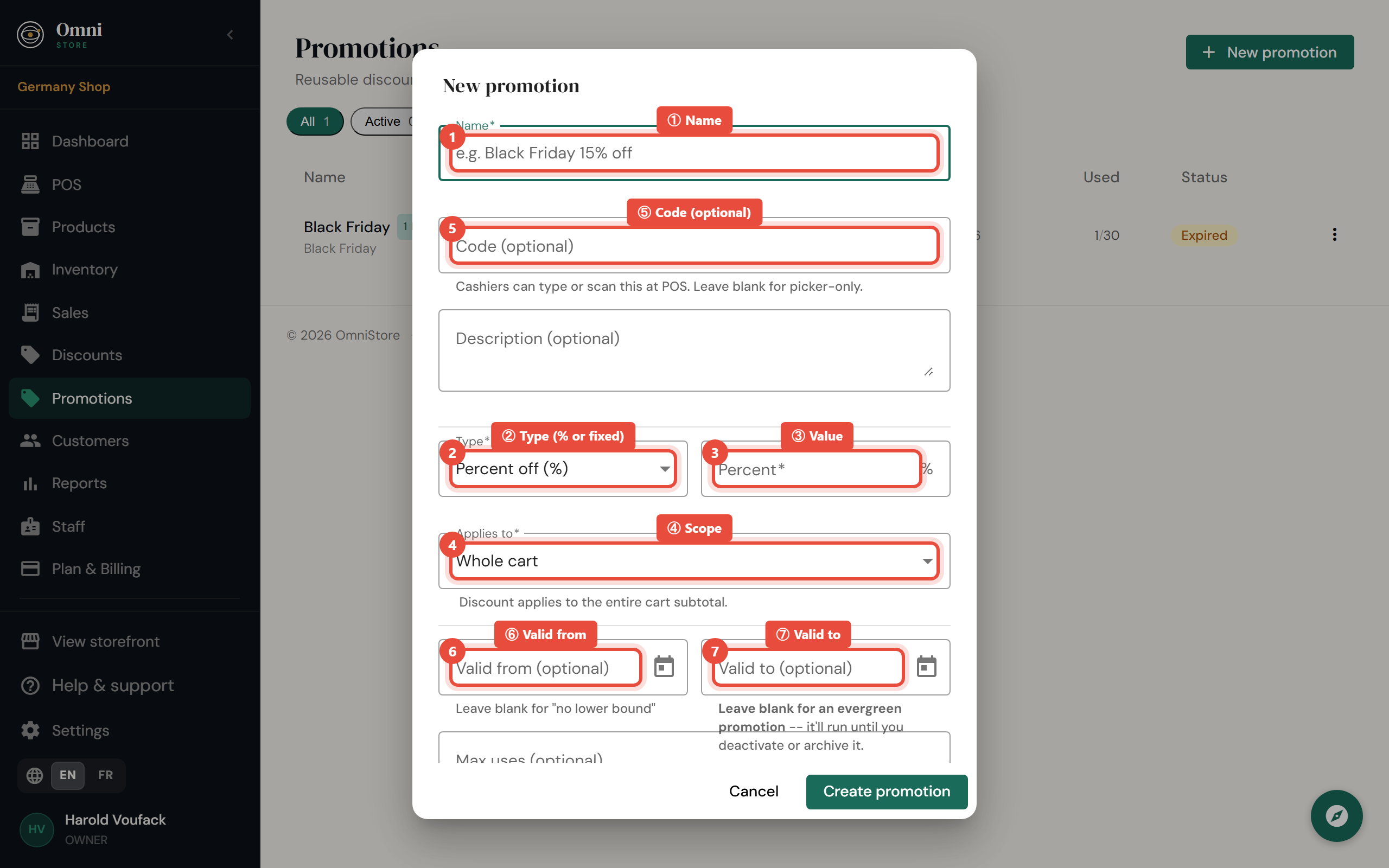
- Set the details (below).
- Click Save. Active promotions are available at the point of sale right away.
Mobile view
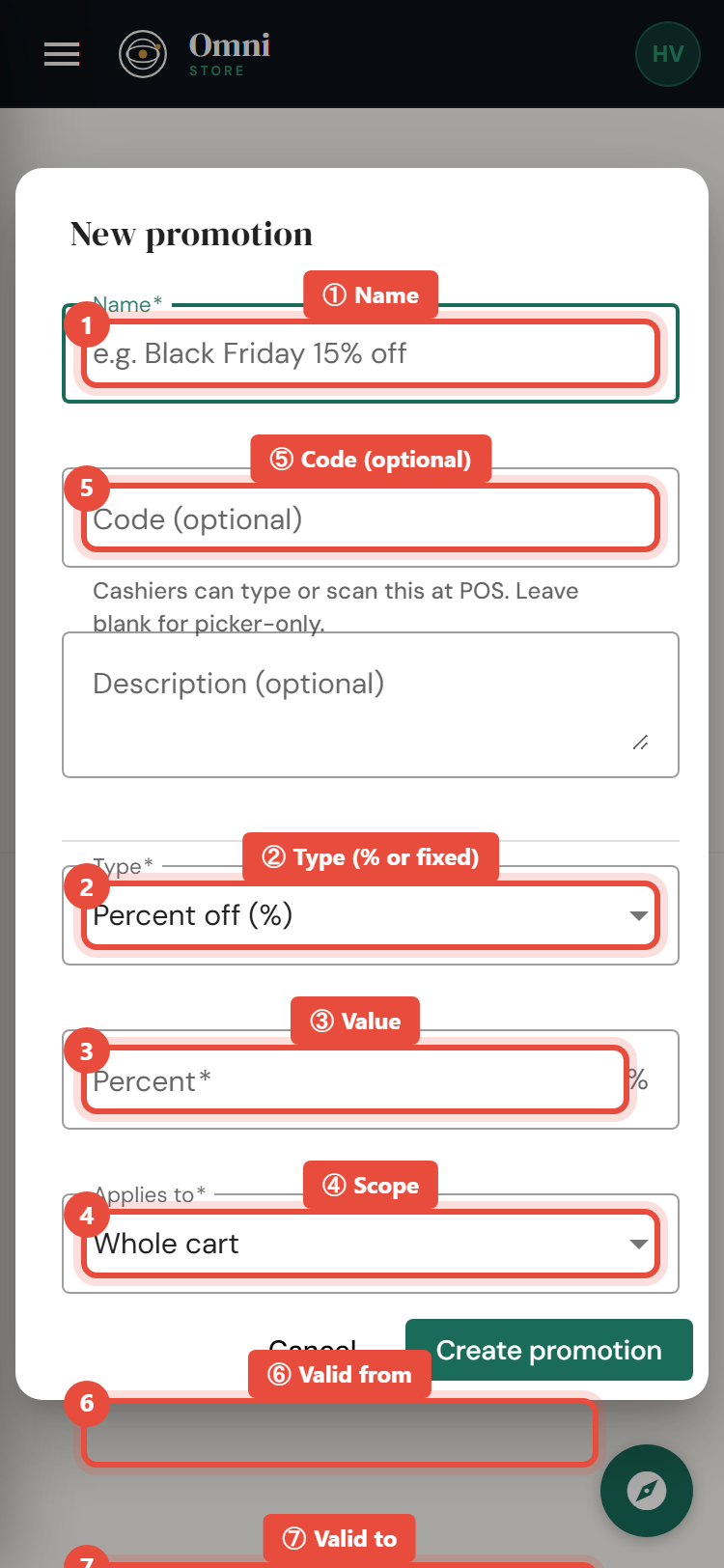
Promotion options
Type - how much off
- Percentage - e.g. 10% off.
- Fixed amount - e.g. 500 off.
Scope - what it applies to
- Order - the whole basket.
- Product - specific products.
- Category - everything in a category, e.g. all Drinks.
- Tag - everything carrying a tag, e.g. everything tagged Sale.
Code (optional)
Give the promotion a code (like WELCOME10) so staff or customers can enter it at checkout. Without a code, a promotion can still be applied directly during a sale.
When it runs
- Valid from / valid to - set a start and end date so the promotion runs only during your campaign. Leave them open for an always‑on offer.
- Usage cap - limit how many times the promotion can be used in total. Once the cap is reached, it stops applying automatically.
A promotion is only usable when it's active, within its date window, and under its usage cap.
Use a promotion at checkout
At the point of sale, either:
- type the promotion code, or
- apply the promotion directly to the sale.
The discount is calculated and shown on the total and the receipt.
Edit, pause, or delete
- Edit to change the amount, scope, dates, or cap.
- Deactivate to pause a promotion without deleting it.
- Delete to remove it entirely.
Combine a tag with a date window for clean seasonal sales: tag the products Sale, create a percentage promotion scoped to that tag, set the dates, and remove the tag when it's over.
The promotions here apply to your customers' purchases. Discount codes for your own Omni Store subscription are a different thing - see Subscription discount codes.